Batch Image Generation • BYOK • No Subscription

Stop Clicking.
Start Blitzing.

Generate dozens, even hundreds of images in one batch & pay half of what they'd cost generating them one at a time.
...you'll get better consistency too.

While you sleep • While you work • While you live your life

One-time purchase · BYOK · Opens in any browser · No server required

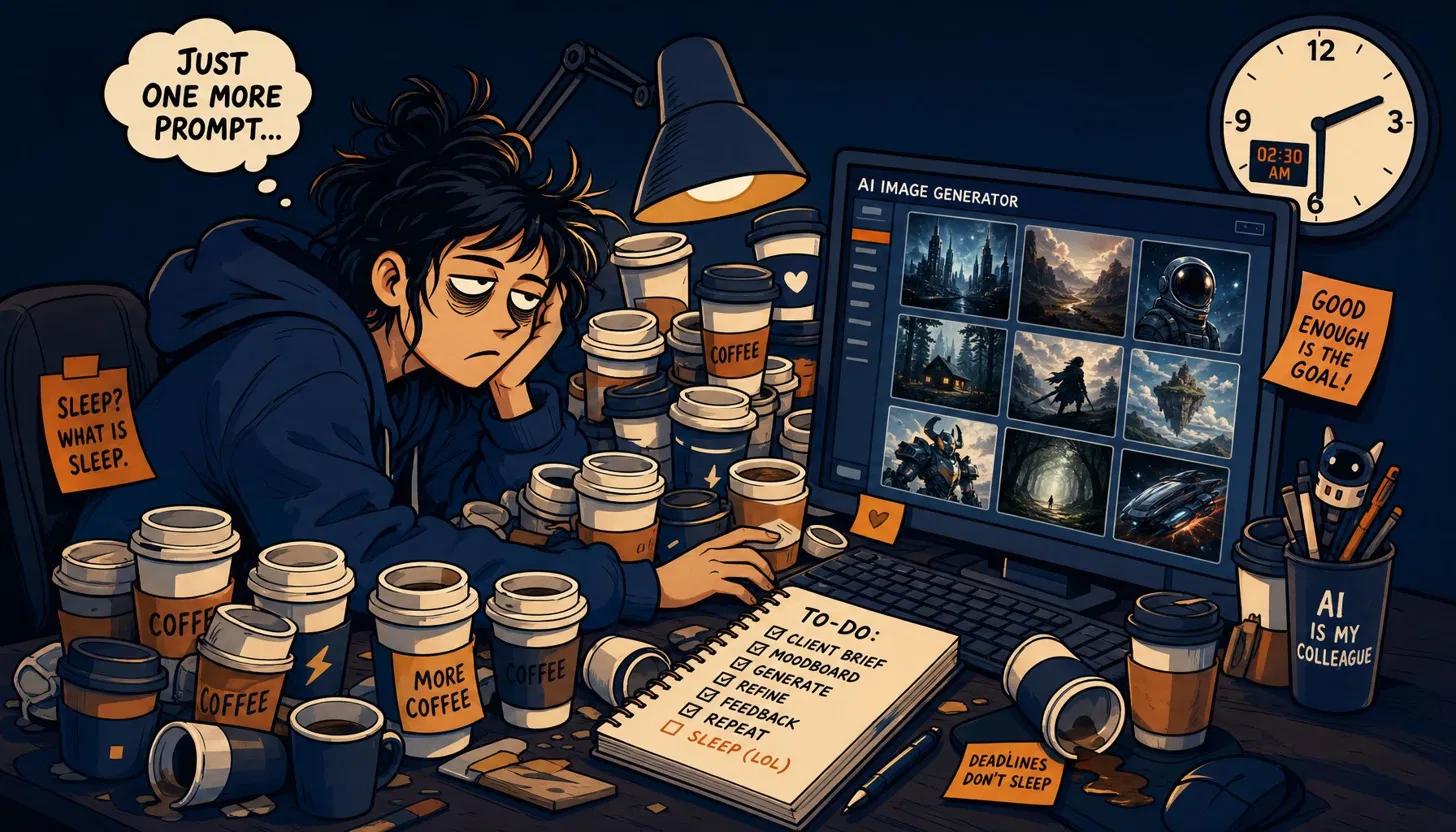
Creator at 2am doing image generation one at a time

Relate? Me too. That's why I created the solution...

3 minaverage time per image
clicking one at a time
50 images= 2.5 hours of
your life you won't get back
Batch APIgives you 50% off
standard API pricing
ImGenBlitzdoes it all while you
make coffee ...to relax & enjoy

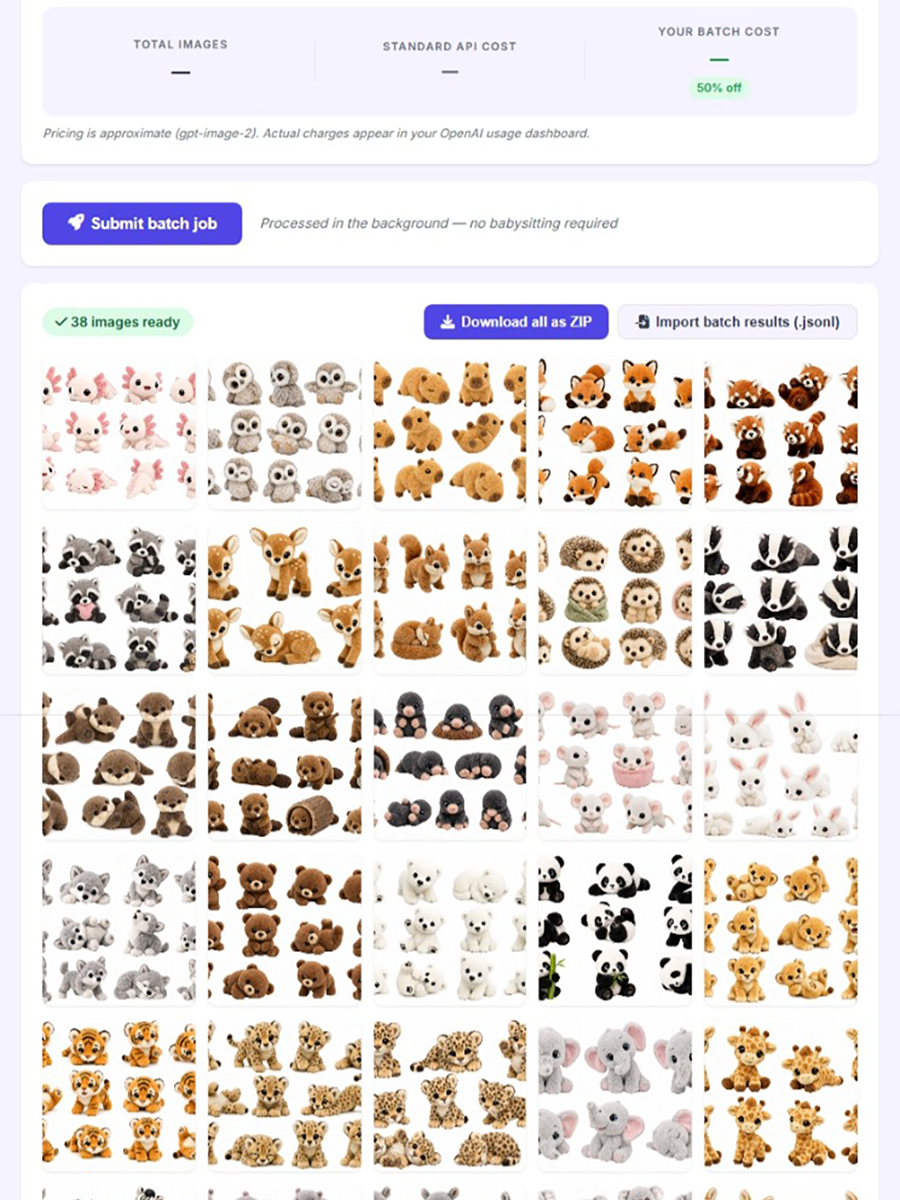
Watch the Blitz Happen

I've done a few as a demo, but you can
generate dozens, even hundreds in one batch.

Four Steps.
That's Really It.

01

Enter your prompts

Paste a list of prompts one by one, or use Template mode — type a prompt once with {SUBJECT} and paste a subject list. ImGenBlitz submits every combination and receives your generated images automatically.

02

Set your specs

Choose your image size, quality level, and the number of images you want per prompt. The live cost estimator shows your estimated batch price before you commit. Always save 50% off the standard rate.

03

Submit and walk away

ImGenBlitz sends your entire batch to OpenAI and auto-polls every 30 seconds. No babysitting. Go live your life instead of submitting prompts one at a time for hours on end.

04

Download your ZIP

All finished images land in a gallery. Download them individually or download all of them in one click.

Clean. Fast. Powerful.

Everything you need. Nothing you don't.

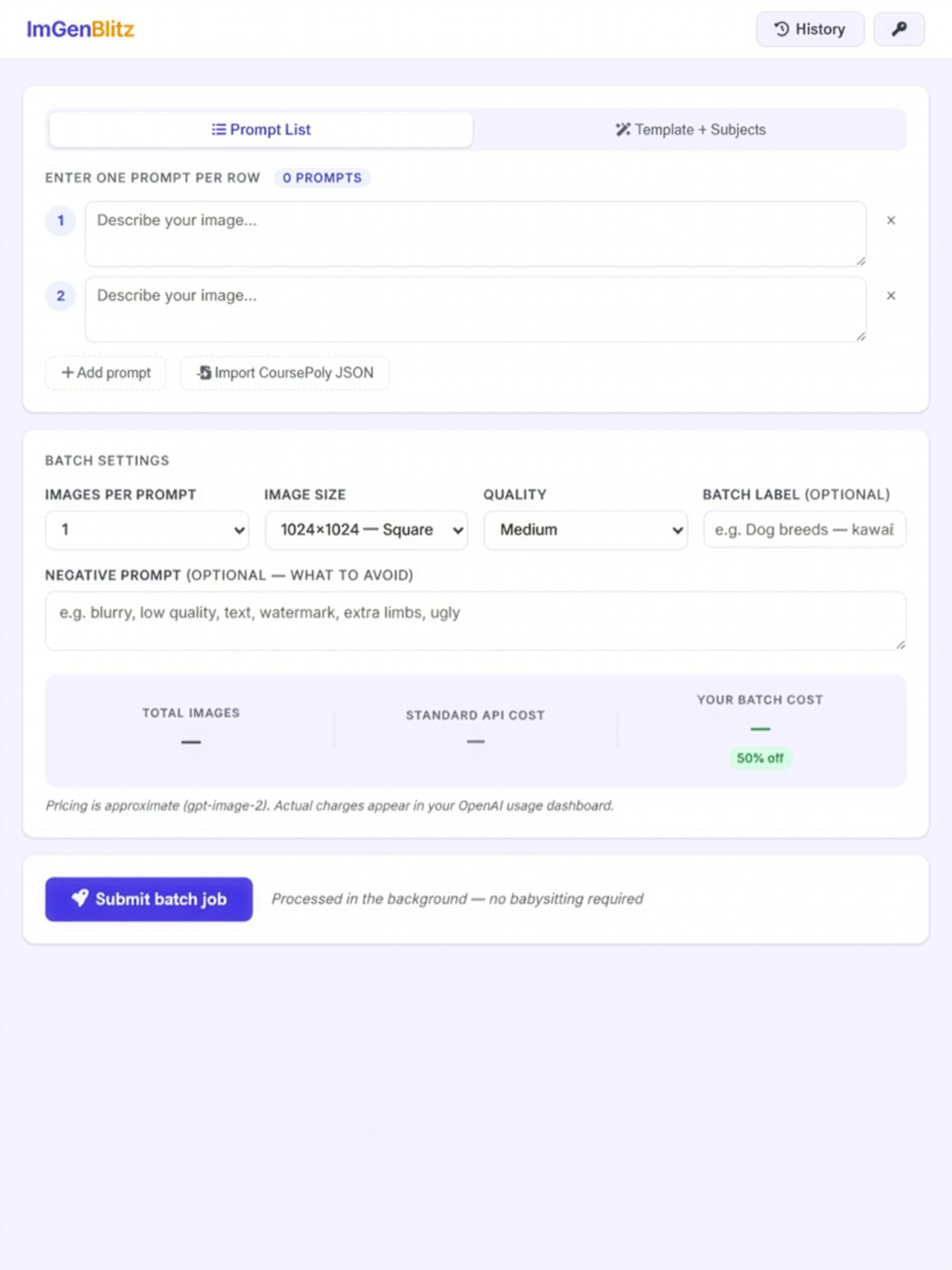
Prompt List Mode
Prompt List Mode
Enter prompts individually or paste from any source
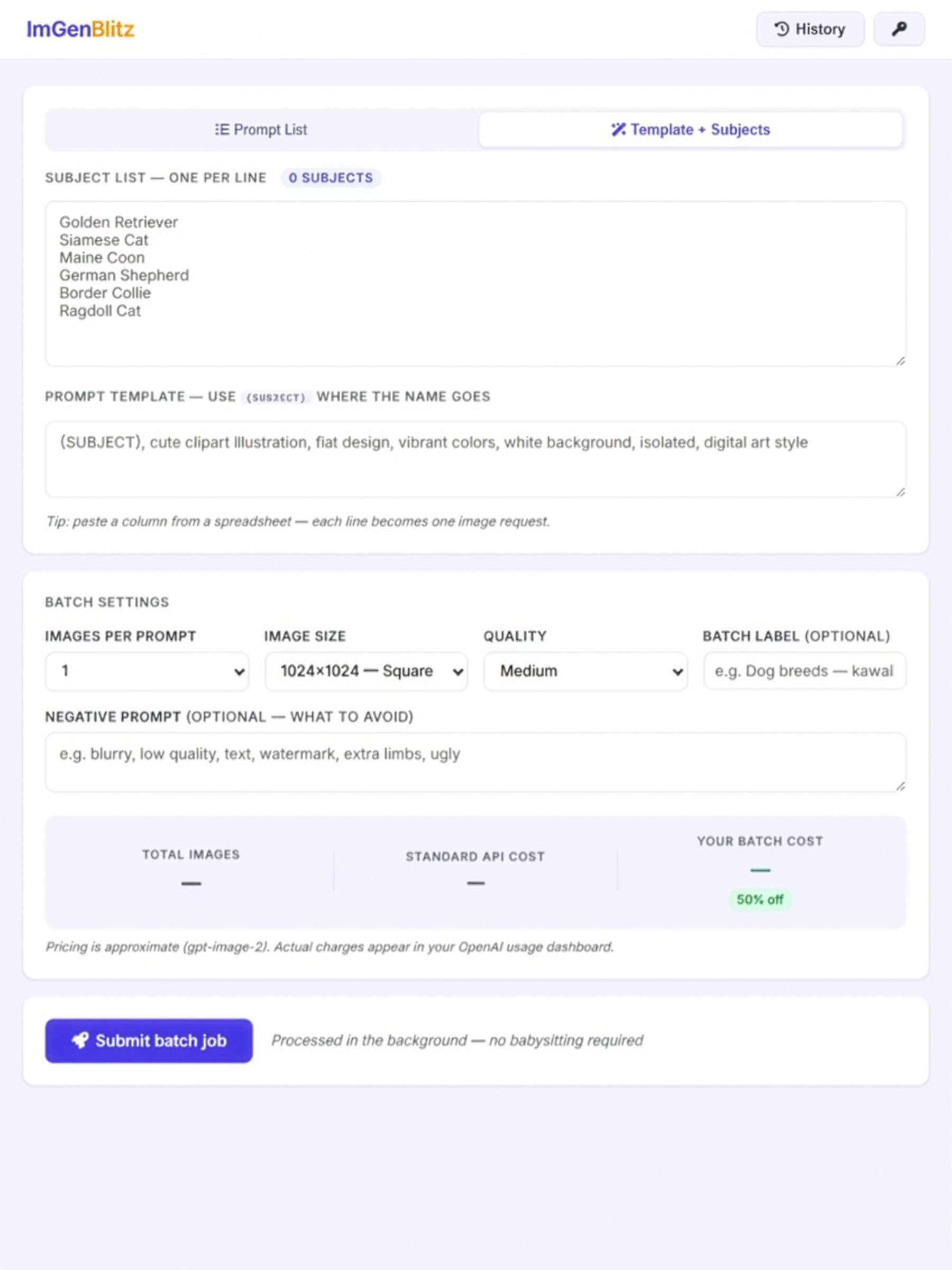
Template + Subjects Mode
One prompt template × unlimited subjects
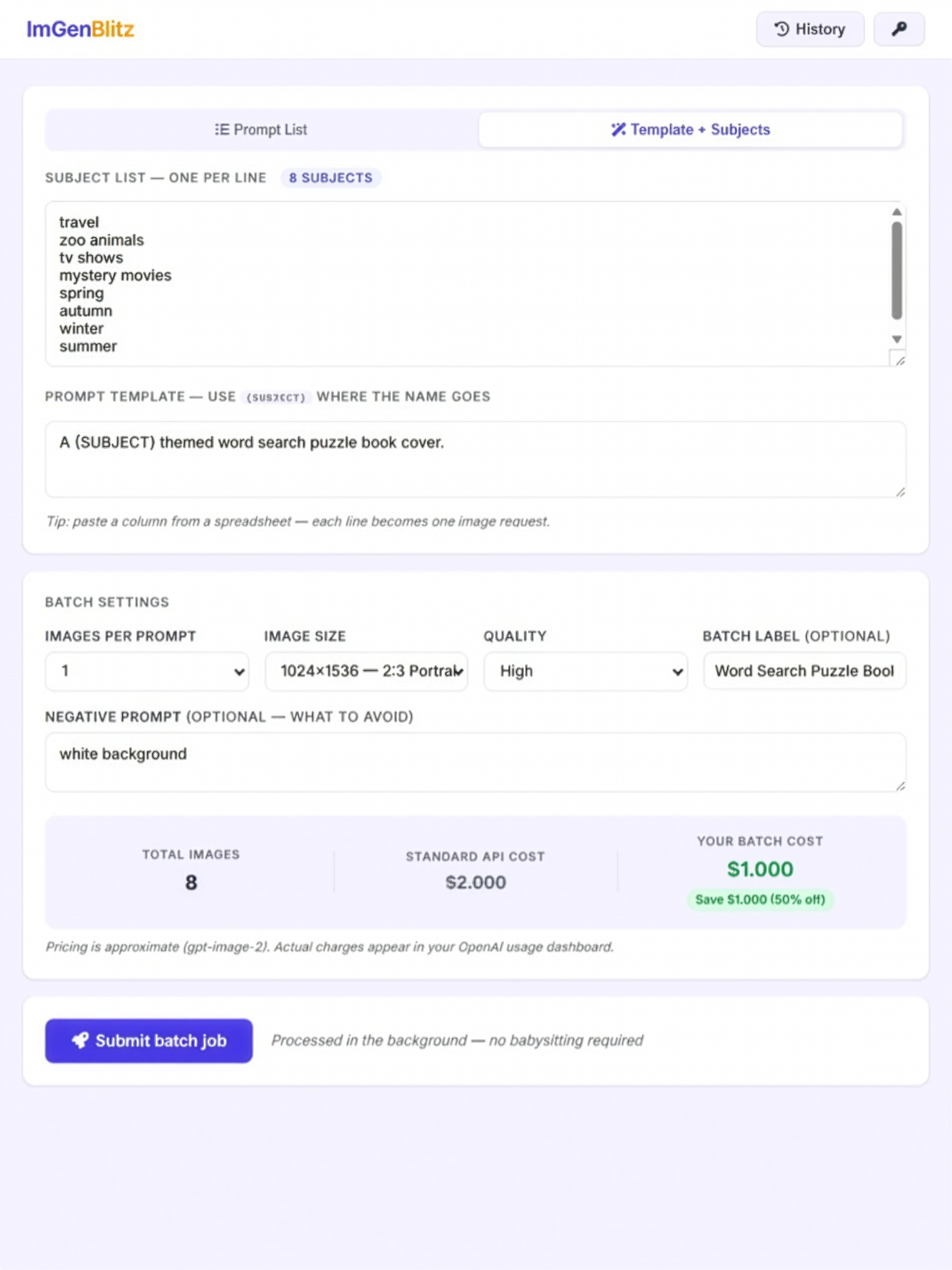
Live Cost Estimator
Live Cost Estimator
Know your batch cost before you submit
Results Gallery + ZIP Download
Preview every image, download all in one click. Import previous batches via JSON from your OpenAI dashboard.

Built for Volume Creators.

True Batch Processing

Uses OpenAI's Batch API which is 50% cheaper than standard, runs in the background, handles hundreds of images per job without you touching a thing.

🔑

Bring Your Own Key

Your OpenAI API key, your costs, your usage. No markup, no middleman, no subscription. You pay OpenAI directly at their published rates.

📋

Template Engine

Write one prompt with {SUBJECT} and paste a list of subjects. ImGenBlitz submits every variation and receives your generated images automatically.

🎨

Consistent Style at Scale

Because all images are generated in a single batch session, they share the same style, palette, and aesthetic — nearly impossible to achieve generating images one at a time.

💾

Batch History

Every batch is saved locally. Come back hours later, resume a job, re-download results, or check status. Your history is always there.

📐

All GPT-Image-2 Sizes

Square, landscape, portrait, widescreen, mobile/Stories — every size OpenAI supports is available, from 768×1024 up to 2048×2048.

🗂

ZIP Download

Download your entire image batch as a single ZIP file in one click, ready for your KDP book, Etsy listing, or course.

🌐

No Server Required

ImGenBlitz is a single HTML file. Open it in any browser on any computer. No installation, no account, no server. It just works.

📥

JSON Import

Storm knocked out your internet mid-batch? Log into OpenAI, download your output file, and import it into ImGenBlitz. Your images load straight back into the gallery. Because losing your hard work to a power outage is not an option.

One Price. Yours Forever.

ImGenBlitz Personal Use License
Everything. Unlocked.
One file. Opens in your browser. Works on any computer. No monthly fees. No expiry. No limits.
$47
One-time purchase and your license never expires
  • Prompt List mode: Unlimited prompts
  • Template + Subjects mode
  • JSON import
  • All GPT-Image-2 sizes and quality levels
  • Live cost estimator (50% batch savings displayed)
  • Auto-polling: no babysitting required
  • Results gallery with individual + ZIP download
  • Batch history stored locally
  • BYOK: your personal API key, your costs
  • Single HTML file: no server, no install
You'll receive a download link immediately after purchase.

🔒 Secure checkout via PayPal  ·  Download link delivered immediately after purchase.

Answered.

What is OpenAI's Batch API and why haven't I heard of it?
OpenAI offers two ways to generate images via their API: standard (instant, full price) and Batch (background processing, 50% off). The Batch API has been sitting there the whole time. It's well-documented, it's real, and it works beautifully. Most people haven't heard of it because most tools don't use it. They generate images one at a time using the standard API, charge you a subscription, and pocket the difference. ImGenBlitz puts the Batch API directly in your hands with no markup and no middleman.
Why do other tools charge subscriptions instead of using the Batch API?
Subscription tools make more money when you pay them monthly regardless of how much you use. Passing the Batch API's 50% savings directly to you doesn't fit that model. ImGenBlitz is a one-time purchase — do you really need another subscription to drain you every month? I didn't think so. You use your own personal OpenAI key, you pay OpenAI directly at their published rates, and you keep the 50% batch discount for yourself. Every single batch.
Is there a catch to the 50% batch discount?
Not really a "catch", but yes there's only one: Batch jobs process in the background rather than instantly. OpenAI's window is up to 24 hours, though most batches complete much faster. If you need an image in the next 60 seconds, the standard API is the right tool. If you're generating 50 clipart images for a KDP book, a course module set, or an Etsy collection — you don't need them instantly. You just need them done, consistent, affordable, and you need your life back. That's exactly what ImGenBlitz delivers.
How much can I actually save using the Batch API?
Exactly 50% off standard API pricing on every image, every time. The built-in cost estimator shows you the math before you submit. For a set of 100 medium-quality square images, you're looking at roughly $2.10 instead of $4.20. At volume, that adds up fast. And since you pay OpenAI directly, there's no subscription fee eating into those savings.
Do I need technical knowledge to use the Batch API through ImGenBlitz?
Not at all. The Batch API in its raw form requires writing code, handling file uploads, parsing JSONL files, and managing polling loops. That's what developers like me do. ImGenBlitz handles all of that behind the scenes. You just type or paste your prompts, pick your settings, click Submit, and come back later when it's done.
Do I need an OpenAI account?
Yes. ImGenBlitz is a Bring Your Own Key (BYOK) app. You'll need an OpenAI account with API access and a funded balance (you can start with as little as $5). Your key is stored only in your browser — not on anybody's server.
How much does image generation cost?
ImGenBlitz uses OpenAI's Batch API, which gives you 50% off standard pricing. Costs vary by image size and quality. The built-in cost estimator shows your price (plus what you would have paid for individual submissions) before you submit. You pay OpenAI directly; ImGenBlitz takes no percentage.
How many images can I generate at once?
OpenAI's Batch API supports up to 50,000 requests per batch, with a 24-hour processing window. For most creators, that means you can run as many images as you realistically need in a single job.
What is Template + Subjects mode?
Write one prompt template using {SUBJECT} where the variable goes, then paste a list of subjects — one per line. ImGenBlitz replaces {SUBJECT} with each one and sends the full batch.
Does this work on Mac and PC?
Yes. ImGenBlitz is a single HTML file that runs in any modern browser: Chrome, Firefox, Safari, Edge. No installation required on either platform.
What if my batch is still processing when I close my browser?
No problem. Your batch continues processing on OpenAI's servers. When you reopen ImGenBlitz, go to Batch History, click Resume and it'll pick up exactly where it left off.